Buttons After All
Another Saturday of running ahead on the automation, this time with buttons you can actually press.
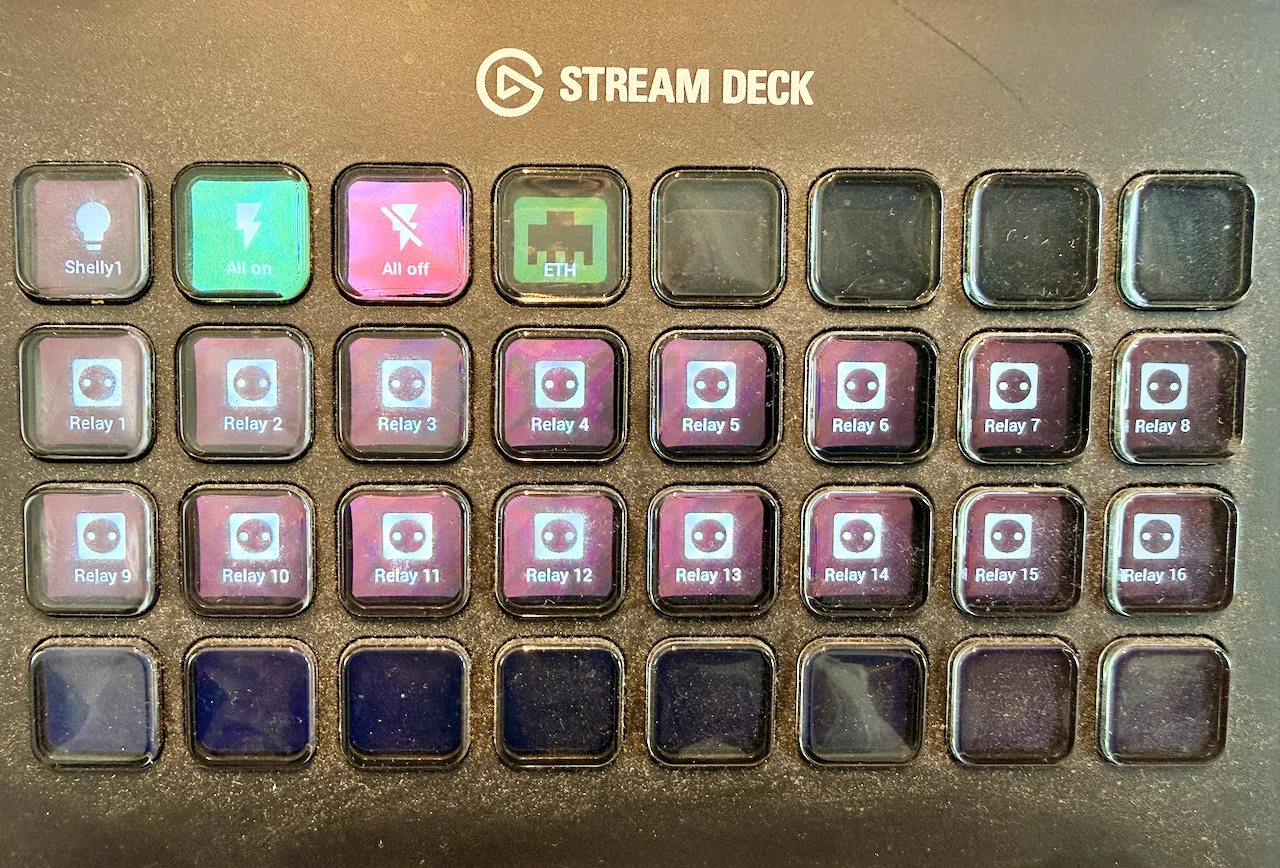
Back in August I wrote that the goal was an almost button-less interior. This Saturday I plugged in a Stream Deck and gave 16 relays a button each.
So much for button-less.
The idea hasn’t changed. Everything in the van should be controllable from the Home Assistant app. But I also want buttons in the van itself, and I wanted to see how hard that would be.
It wasn’t hard at all. It took about an hour.
The Stream Deck is connected over USB: USB-C into the deck, USB-A into the Raspberry Pi. In Home Assistant I installed an app for it, and one YAML file configures all the buttons. What really helped was having Claude Code inside Home Assistant to help with that config.
The middle two rows are the Waveshare relays, Relay 1 to Relay 16. Each button switches one relay. Nothing is connected to them yet, so for now they click and that’s it.
The top row is for tests:
- Shelly1 turns a Shelly on and off. That Shelly will drive the LEDs, which will be dimmable and full color.
- All on and All off send one command over Modbus to switch all relays at once. An experiment, to see if it works.
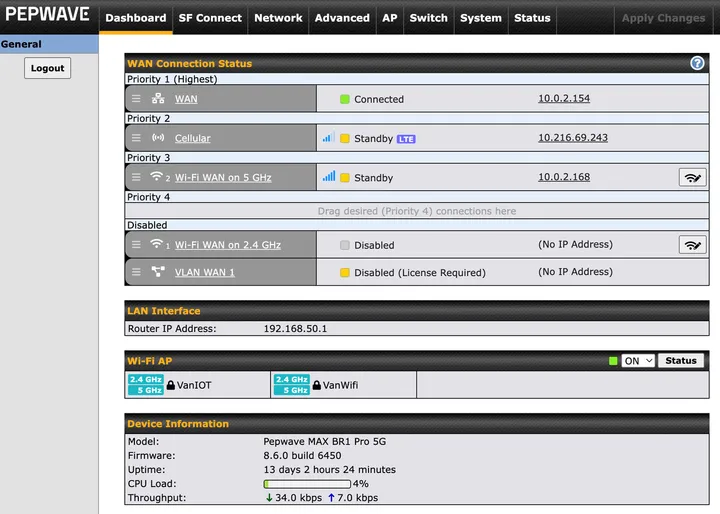
- ETH isn’t a switch. It’s a status button. It shows the current uplink of the Pepwave router, a MAX BR1 Pro 5G.
The router keeps its uplinks in a priority list. First is the UTP cable, the WAN port. Second is cellular, on the SIM card. Third is Wi-Fi WAN on 5 GHz. Right now the cable is connected and the other two wait on standby. If the cable drops, the router falls back to 5G on the SIM card, and the ETH button changes with it.
I did think of the buttons as a backup for when the phone isn’t around. But to be realistic: the buttons run through the Pi. When the Raspberry Pi dies, the buttons die too. So this is less a backup and more a “why not”. A geeky one, I admit.
Lessons learned: it was much simpler than I expected. Once Home Assistant is running on the Pi, adding physical buttons is a small step. Just don’t mistake them for a backup.
Next up: deciding on the electric setup.
Photos from this weekend